Classic: Mozilla’s customization controls
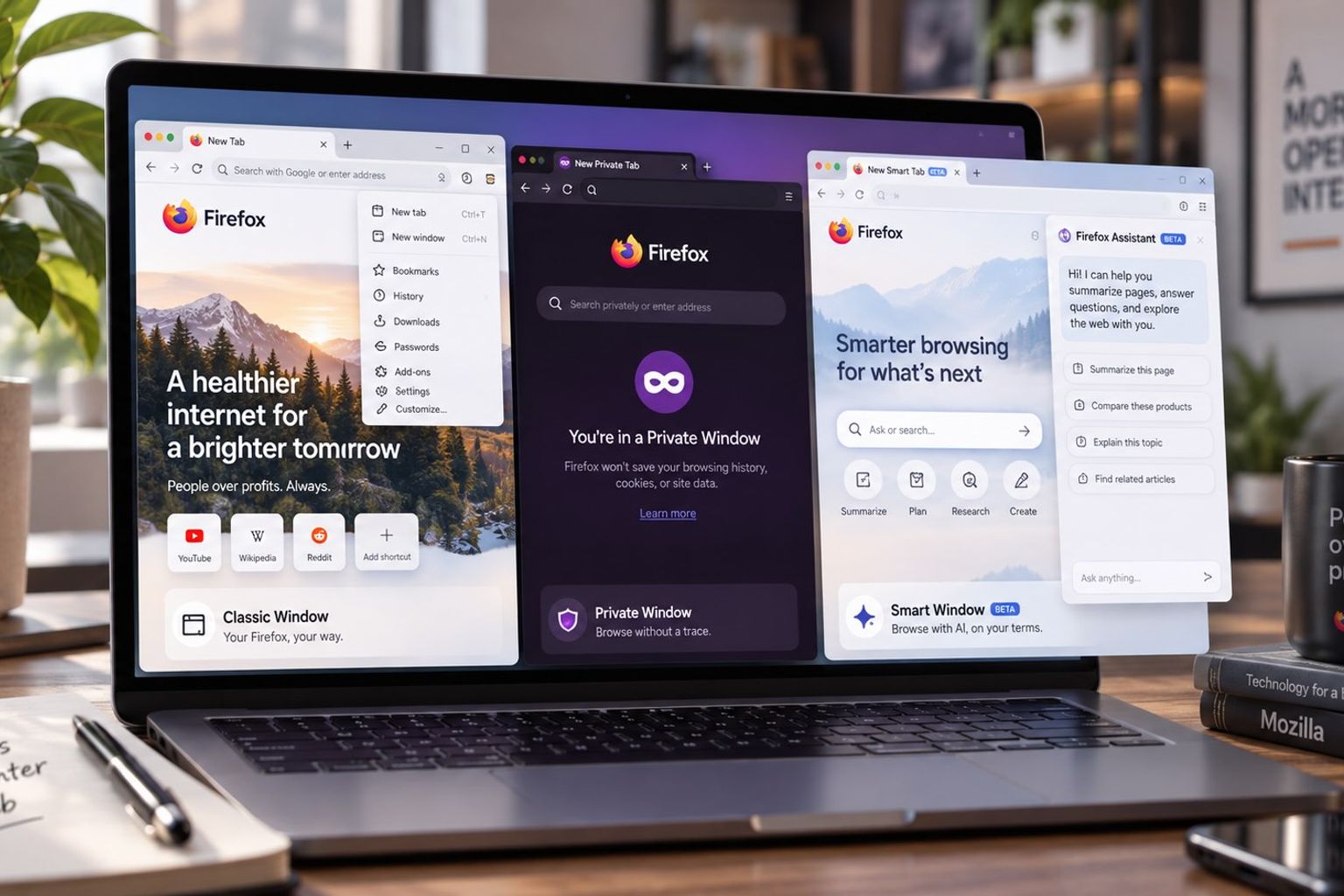
Mozilla describes Classic as a window for tailoring Firefox’s interface and configuration. Its listed controls include adjusting buttons and toolbars, using the Firefox add-ons library and accessing advanced settings. Those are the concrete customization mechanisms documented in its account. This explainer relies on Mozilla alone; the supplied material does not provide independent verification of the described behavior.
For people using multiple devices, Mozilla says Classic can synchronize browsing history, bookmarks and tabs that remain open across devices where they are signed in. The company also describes configuring extensions and themes around personal preferences. Its account therefore identifies both interface adjustments and synchronization as parts of the Classic experience.
Private: Mozilla’s session data rules
Mozilla says pages opened in a Private Window do not enter Firefox’s history records or the address bar’s list of visited sites. It also says entries made in webpage text fields and the browser’s search bar are not retained for form autocomplete. These descriptions explain which browser records Mozilla says the window avoids saving.
Cookies have a specific lifecycle in Mozilla’s description: private-session cookies sit temporarily in memory, apart from ordinary browsing cookies, and are discarded when the final Private Window closes. Mozilla also says extensions start disabled in Private windows unless the user grants permission. The documented controls thus cover both cookie retention and whether extensions can operate in that window.
Smart: Mozilla’s assistant and optional memories
Mozilla describes Smart as adding an AI assistant to a Classic-style window. Users can choose to let the assistant use tabs they have open, recent browsing activity and the current page as context. According to Mozilla, the assistant can use that context to summarize pages, suggest recommendations, compare information and help plan tasks.
Mozilla also describes optional memories drawn from Smart chats, browsing in Smart and Classic, or a combination of those sources. It says these memories remain on the device and can be deleted whenever the user chooses. Mozilla presents them as a way to personalize subsequent answers; the supplied passage does not establish how well that personalization works.
Sources & context
- Classic, Private, or Smart? Choose the Right Firefox Window | The Mozilla BlogMozilla
Single-source report; claims attributed to the source, not independently verified. This explainer uses a single source: Mozilla’s supplied account, without independent verification. Mozilla describes Smart’s optional memories as supporting personalization, but the supplied passage does not establish their effectiveness. News date: 2026-09-24T17:00:00.000Z. Study date: not established. Consulted: 2026-09-30T14:00:03.562Z.
AI assisted with preparing and checking this article. The responsible editor accepted this version for publication following an assisted review of facts, sources and attribution.
Related reading

Mozilla explains how Firefox mobile handles ads, summaries, tabs and syncing